Who Tracknosis is for

Different teams ask the same question in different ways: what changed on this machine? Here is how Tracknosis answers it for each of them.

Investigate a security incident

"Something happened. What did they change, and is it still there?"

For security analysts, incident responders and SOC teams.

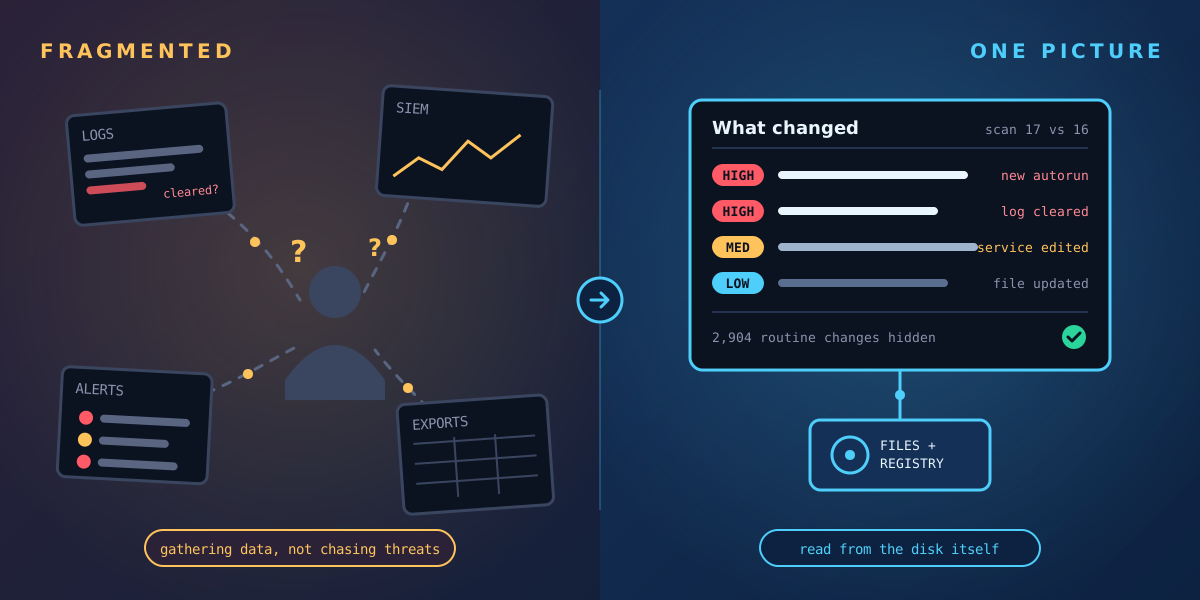
An alert fires, but it doesn't say what the attacker changed. Logs may be incomplete or wiped, and every hour spent gathering data is an hour not spent containing the threat.

  • Every file and registry change since the last scan, rated High, Medium or Low with a reason
  • New auto-starts, services and scheduled tasks linked to the files they launch
  • Faked timestamps, cleared event logs and switched-off auditing flagged
  • Deleted attacker tools often recoverable, written to a different volume
  • Findings sent to Splunk alongside your existing alerts

Guide: how to detect timestomping on Windows →

Free checklist: the first hour after an incident or outage →
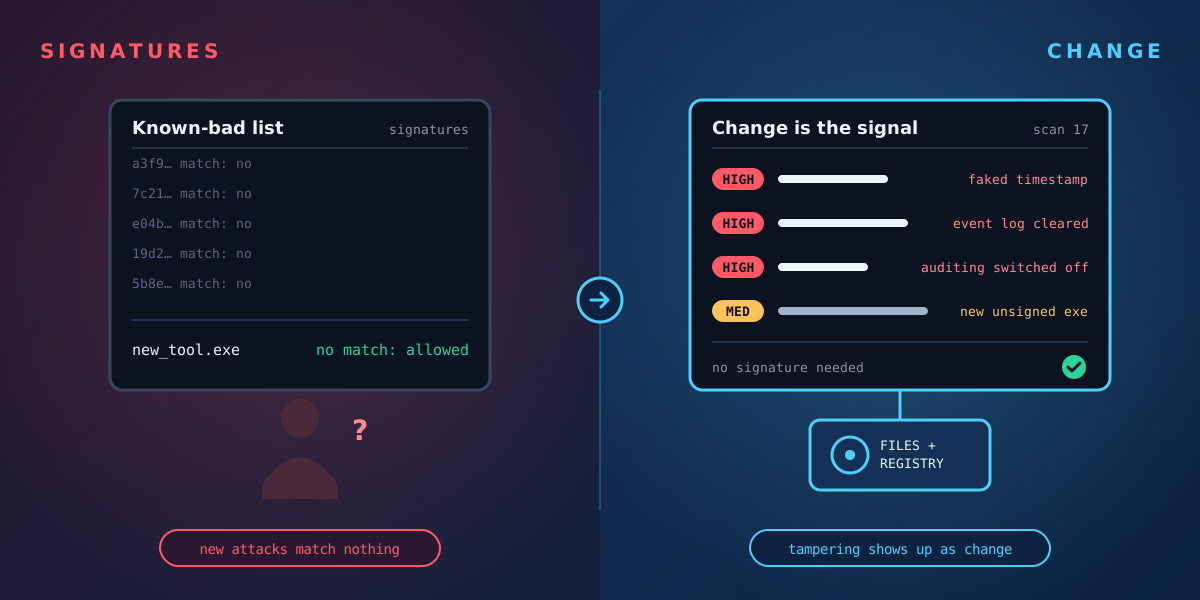
A signature list letting a new tool through beside a change view that flags faked timestamps, cleared logs and switched-off auditing
Find the root cause of an outage

"It worked yesterday. What changed?"

For server, desktop and infrastructure teams.

A service starts failing, an application breaks after an update, or a server drifts from how it was built. The event log shows the symptom, not the cause.

  • Compare any two scans to see exactly what was added, edited or deleted, and when
  • Find the driver, setting or service change behind a failure
  • Confirm what a patch or software install actually changed
  • Installed software and asset details for each machine, from the same scan
  • Routine changes hidden by rules you control, so the real cause stands out

Guide: how to find what changed on a Windows server →

Free checklist: the first hour after an incident or outage →
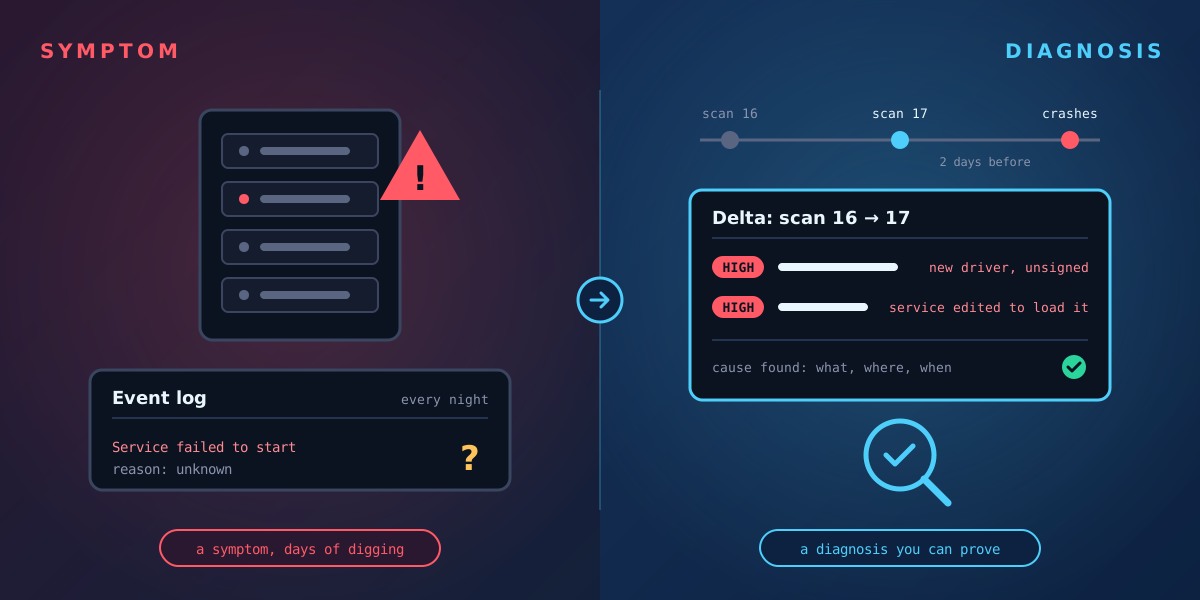
A crashing server with an unexplained event log beside a scan-to-scan delta showing the unsigned driver and edited service that caused it
Be NIS2 & CIRCIA ready

"The regulator wants answers in 24 hours. Where's the evidence?"

For CISOs, compliance, risk and audit teams.

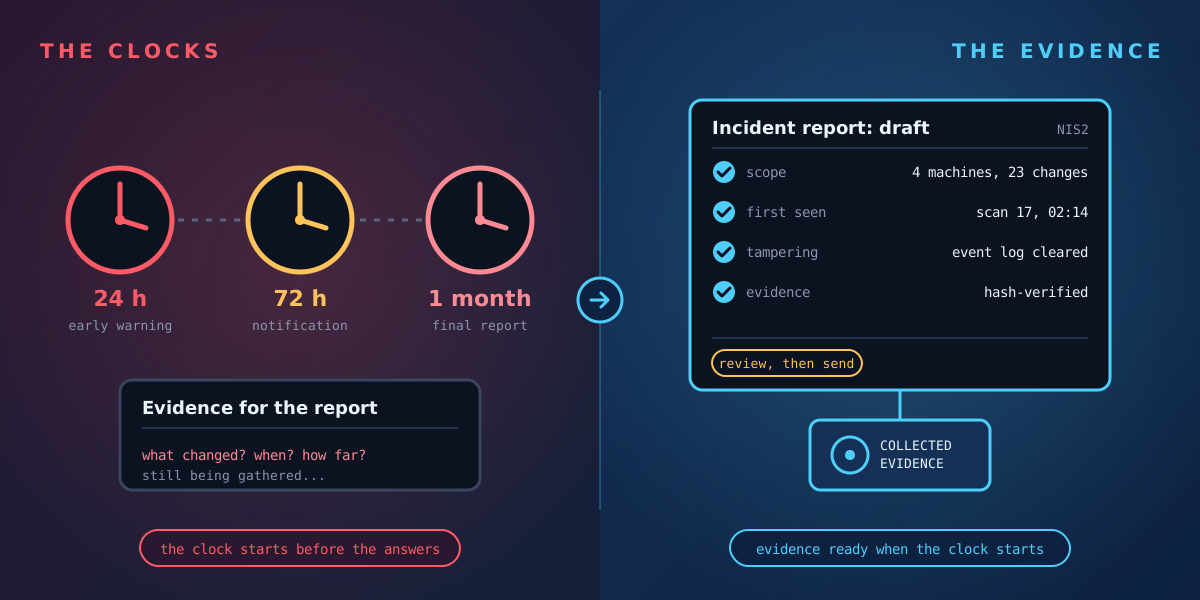
NIS2 expects an early warning within 24 hours and a notification within 72. CIRCIA is coming in the US. Without evidence, reports are built on estimates.

  • A record of what changed, when, and how risky it was, kept scan by scan
  • Each scan stamped with machine, volume, tool version, operator and time
  • AI report drafts for NIS2 and CIRCIA built from the evidence, for your team to review
  • Signs of tampering, such as cleared logs, reported as findings, not left as gaps
  • History you can go back to for audits, months later

NIS2 & CIRCIA: how Tracknosis helps →  ·  Free report templates →

Three reporting clocks, 24 hours, 72 hours and one month, beside an incident report draft built from collected evidence
Recover from ransomware safely

"Is it really gone before we restore?"

For incident responders, IT teams and anyone rebuilding after an attack.

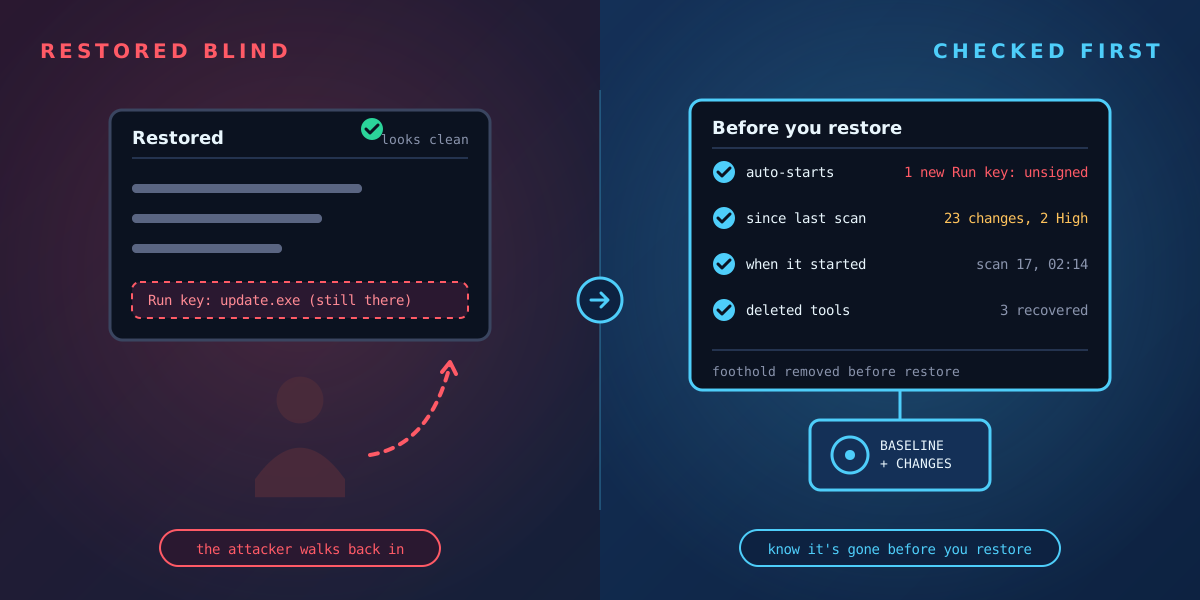
Restoring from backup without knowing what the attacker left behind invites a second attack, and insurers increasingly want proof that the threat has gone.

  • With a scan from before the attack, every change since is listed, rated and dated
  • New auto-starts, services and scheduled tasks linked to the files they launch, with unsigned or downloaded files flagged
  • Cleared event logs and switched-off auditing flagged
  • Deleted attacker tools often recoverable, written to a different volume
  • A rescan after clean-up confirms the foothold has gone

Read: After ransomware, is it really gone? →

A restored machine that looks clean but still has the attacker's auto-start entry, beside a pre-restore checklist that finds it
Keep Citrix & server estates clean

"Is every server still the way we built it?"

For teams running Citrix, VDI, Remote Desktop and large Windows server estates.

Shared servers and session hosts change constantly: updates, user software, configuration tweaks. Something unwanted can hide among thousands of routine changes.

  • A lightweight agent with no kernel driver, suited to shared and session hosts
  • See what changed on each host after an image update, patch or user session
  • Routine profile and update noise hidden; risky changes never are
  • New auto-starts and unsigned executables on shared hosts flagged
  • Works on Windows wherever it's hosted: on-premises, private cloud or public cloud
Scattered, disconnected data sources on one side, and a single view of what changed, read from the disk, on the other
Protect your build servers

"Is what we ship what we built?"

For software vendors, DevOps and security teams running Windows build agents.

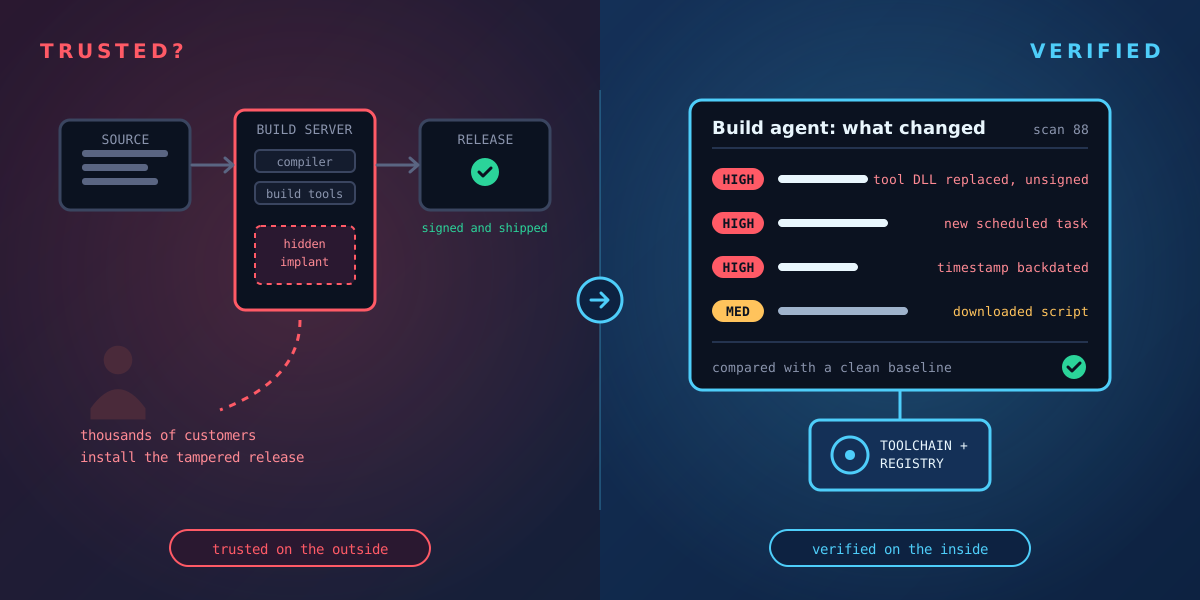
Whatever the build server produces gets signed and shipped to every customer. Attackers who reach it don't need your source code: they change a tool, a library or a script on the build machine and wait for the next release.

  • A clean baseline of each build agent, recorded straight after it is built
  • Changed compilers, build tools and libraries listed, with digital signature status
  • New auto-starts, services and scheduled tasks flagged and linked to the files they launch
  • Backdated timestamps, cleared logs and switched-off auditing reported as findings
  • A scan history showing what each build server looked like when each release was made

Read: Is your build server still trustworthy? →

A build pipeline that looks trusted but hides an implant on the build server, beside a change view of the build agent that flags a replaced tool DLL, a new scheduled task and a backdated timestamp
MSPs & MSSPs

"Our clients ask what happened. We need to prove it."

For managed service providers and managed security providers.

When a client has an incident, the provider is expected to explain it quickly and clearly, often across machines nobody was watching closely.

  • Evidence-backed answers for client incidents, in plain language
  • Findings sent into your Splunk alongside your other client data
  • Report drafts that help your clients meet their NIS2 and CIRCIA duties
  • A new forensic service to offer, without new infrastructure
  • Partner and OEM options available

See partner options →

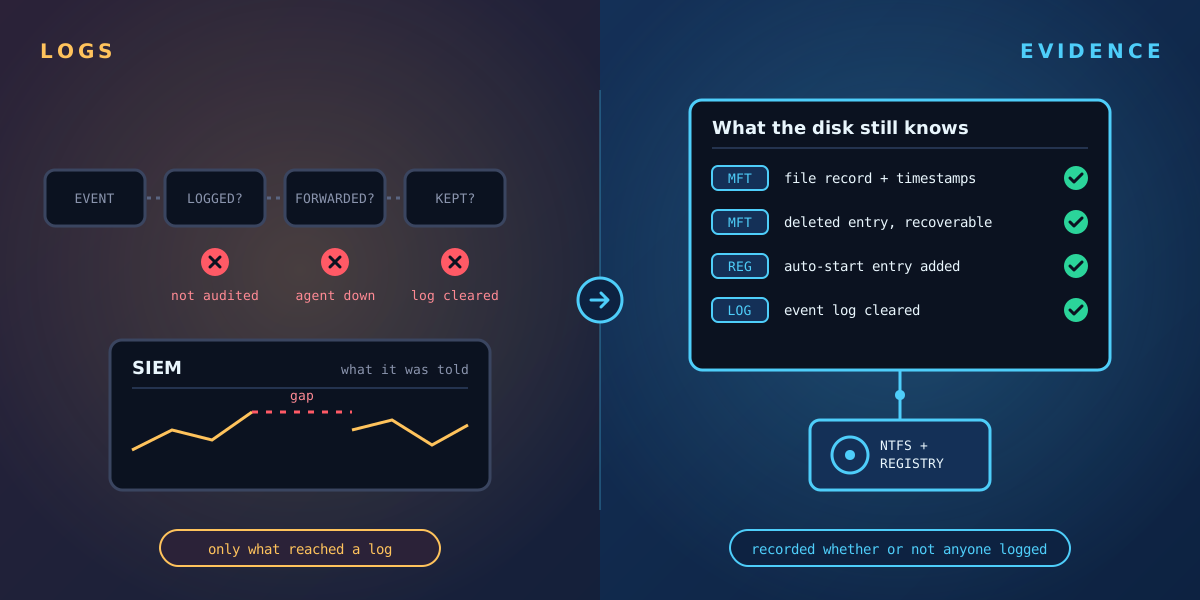
A log pipeline broken at three points beside the disk, which still holds the record of every change

See it on one of your own machines

Request a guided trial: we install Tracknosis with you on one of your Windows machines and walk you through your first results, from High-risk changes to signs of tampering and persistence. Free, and nothing stays installed unless you choose to continue.

Request a guided trial   Talk to us first