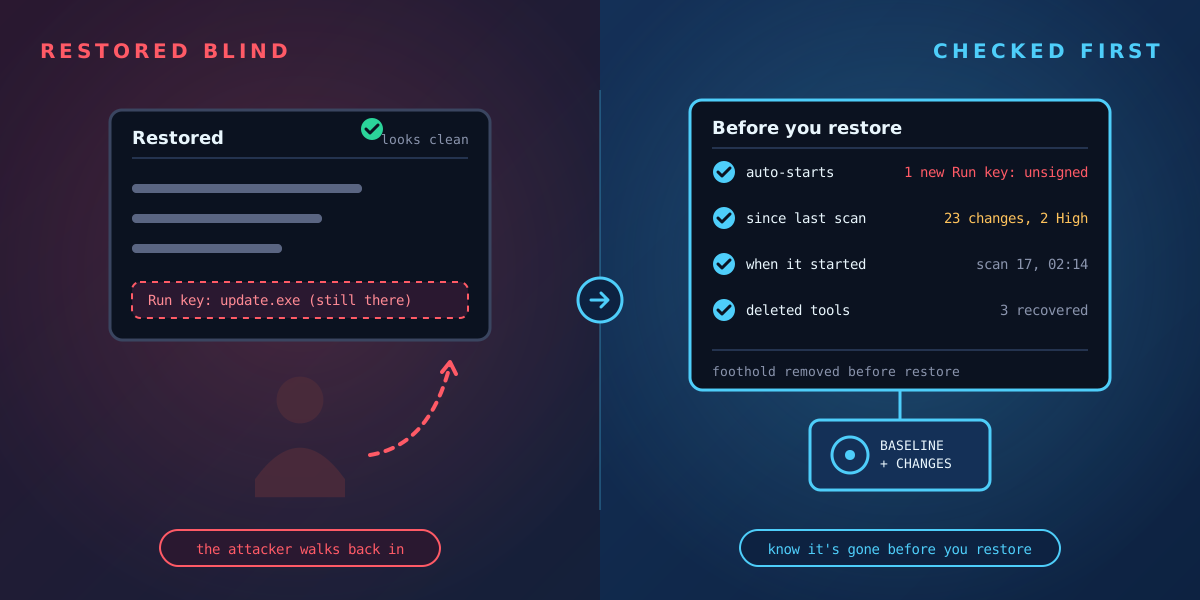
After a ransomware attack, the pressure is to restore and get back to work. But restoring without knowing what the attacker left behind is one of the most common ways to be hit a second time. Before you bring systems back, you need answers to three questions.
Always follow your incident response plan and work with your incident response provider, insurer and, where relevant, law enforcement. This article covers the forensic checks, not the whole process.
1. How do they get back in?
Attackers rarely rely on a single foothold. Before deploying ransomware they usually set up ways to return, known as persistence. On Windows, the usual places are:
- Run and RunOnce registry keys;
- new or modified services;
- scheduled tasks;
- startup folders and logon scripts;
- new local accounts, or changes to existing ones.
Each of these should be checked against a known-good state. An entry that is new since the last clean scan, unsigned, or pointing to a file in a temporary or user folder deserves a close look before anything is restored.
2. When did it start?
Ransomware is usually the last step of an intrusion, not the first. Attackers may have been inside for days or weeks. If you restore a backup taken after they arrived, you restore them too. Working out when the first suspicious change happened tells you which backups are safe to use.
3. What did they use?
Attackers often delete their tools before they leave. Recovering those files, even partially, helps identify the group, the method and other machines that may be affected. On NTFS, a deleted file's record and data can sometimes still be recovered, as long as the space hasn't been reused.
Where Tracknosis helps
If Tracknosis was scanning before the attack, it shows every file and registry change since the last scan, including new auto-start entries linked to the files they launch, with unsigned, downloaded or missing files flagged. It flags cleared event logs and disabled auditing. And it can often recover deleted files, writing them to a different volume so the evidence isn't overwritten.
The lesson for everyone else is simple: the best time to take a baseline is before you need it.
See what changed on your Windows machines
Tracknosis gives you proactive forensic monitoring and continuous forensic observability for Windows Infrastructure.
Contact Us More articles