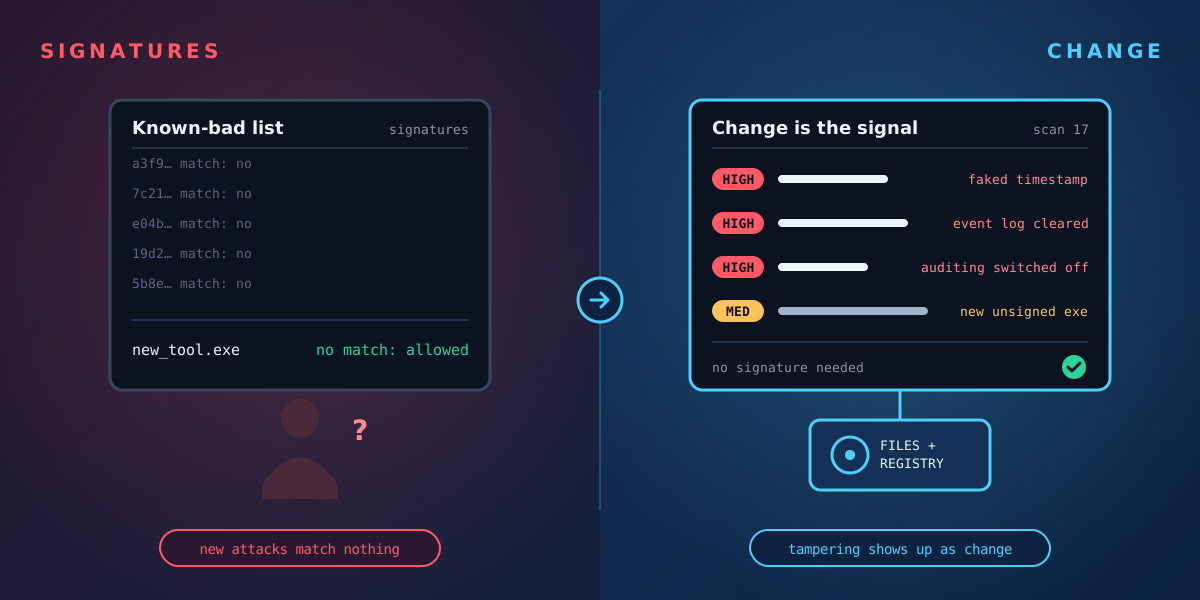
Signature-based detection works by recognising known bad: a file hash, a pattern, a behaviour someone has already seen and described. It is essential, and it catches a great deal. But it has a built-in limit. A new tool, a modified script or a legitimate admin utility used for the wrong purpose has no signature yet.
There is another way to spot an attack: look for the changes attackers have to make, whatever tools they use. Here are three that are hard to avoid.
1. Faked timestamps
Attackers sometimes change a file's dates so it blends in with system files, a technique known as timestomping. On NTFS this is harder to hide than it looks. Every file has two independent sets of timestamps: one that ordinary tools can edit easily, and one maintained by the file system itself. When the two disagree in impossible ways, such as a file apparently created years before the folder it sits in, that is a strong sign of tampering.
2. Cleared event logs
Clearing logs removes evidence, but the act of clearing is itself recorded. Windows writes event 1102 when the Security log is cleared and event 104 when another log, such as System, is cleared. A cleared Security log on a server, with no planned maintenance, should always be investigated.
3. Switched-off auditing
A quieter approach is to stop logging before acting. Changes to the system audit policy are recorded as event 4719. Auditing turned off, audit rules removed from sensitive files, or the event log service stopped without a shutdown are all worth flagging, because they create the blind spot the rest of the attack relies on.
Change is the signal
None of these depend on knowing the attacker's tools. They are visible because something changed that shouldn't have. The same goes for a new auto-start entry, an unsigned program appearing in a system folder, or a new USB storage device on a server that never has one.
Tracknosis is built around this idea. It reads each Windows volume directly, compares it with earlier scans, and rates every change. Faked timestamps, cleared logs and disabled auditing are flagged alongside the file and registry changes, so new and unknown attacks show up as change, with no signature needed.
See what changed on your Windows machines
Tracknosis gives you proactive forensic monitoring and continuous forensic observability for Windows Infrastructure.
Contact Us More articles